Free
€0
After the trial · 1 project · no time limit
- Cycle planning
- Capacity declared per member
- Load vs capacity gauge
- Backlog with search, filters and sorting
- Drag and drop with live sync
- Cycle charts
- Automations

A backlog that spans all your projects, a dated cycle, each person's declared availability, and a gauge that fills up while you plan. No story points to convert.
"There are five of us, it's two weeks, we'll manage." The arithmetic assumes five people full time on the subject, which is almost never the case. The cycle is overloaded from the planning meeting onwards, and nobody sees it until the end.
One list per project, a spreadsheet on the side, requests arriving by message. When it is time to fill the sprint, you pick what is in front of you rather than what matters most.
The sprint contents are decided in a meeting, then go and live somewhere else. When the load slips mid-cycle, there is nowhere to see it before the review.
Most of them measure what goes into the sprint. Few measure what the team can actually absorb over the period.
Velocity is an average of past sprints. It assumes the team for the coming sprint is the team from the past ones, when both its make-up and its available time shift from period to period. The capacity on display stays that of a theoretical team, and the gap is paid for in the following sprint.
Cards pile up in a "Current sprint" column with no total displayed anywhere. The only overload signal is the number of cards, and it says nothing about the work they represent.
You can build a perfectly sound capacity sheet in it. It is correct on day one, then people's availability shifts and nobody updates it. In practice the sheet rarely survives three sprints.
Monday, Asana and Notion can all show a board, a date and an owner. The notion of a closed period with a team capacity you must not exceed does not exist natively: you rebuild it with formulas and custom fields.
Five steps, only one of which really changes the outcome: declare availability before you load the cycle, not after.
A cycle is your sprint: a name, two dates, and each person's declared availability. The backlog gathers items from all your projects, you drag them in, and the gauge follows.
The left-hand panel gathers items from all of your projects, not just one. A search box, nine filters (project, phase, member, progress, duration, deadline, priority, status, custom columns), sorting on eight criteria and nine display fields to choose from: you keep on screen only what helps you decide what goes into the cycle.
When you create the cycle, you enter for each member the number of days they are genuinely available per week. Five days for someone full time on the subject, two for someone splitting their week with another project. The sprint's capacity is the sum of those availabilities, not a flat allowance per head. A cycle can count working days only, and the display unit can be set to hours or days.
Every item dropped into the cycle adds its load. The gauge shows team capacity, planned load, occupancy rate and what is left, with colour thresholds you set yourself. The discussion stops when the bar is full, not when the meeting slot runs out. Everyone watches the same screen update live.
A well planned sprint is not a full sprint. It is a sprint the team knows will hold.
Not an impression: the same measurement two years apart, on samples of several thousand practitioners.
of projects finish with a variance against the original schedule
PMI, Pulse of the Profession 2018, 4,455 practitionersorganisations mature in project management meet their schedule, against immature ones
PMI, Pulse of the Profession 2020, 3,060 practitionersof failed projects cite inadequate planning among the main causes
PMI, Pulse of the Profession 2018The 24-point gap between mature and immature organisations does not come from better tracking. It comes from what was done before kickoff.
You fill it until it looks reasonable.
You fill it up to the declared capacity, then you stop.
Teams working in short, repeated periods, without necessarily doing Scrum.

Two to four week iterations, a prioritised backlog, and the recurring question of what fits in the next one.

Several clients in the same period. The backlog has to span every project, otherwise the trade-off is made blind.

Requests arriving from everywhere and availability that is always partial. Declaring real capacity is the only way to say no with a number behind it.

They need to see, cycle after cycle, whether the team is loaded at 60% or 130%, and to set the alert thresholds to their own working habits.
It is the point at which a team decides what it commits to delivering over the coming period. The hard part is not choosing the topics, it is knowing how many of them fit. That means knowing the team's real capacity over the period, not just the headcount multiplied by the number of weeks.
No. Cycle planning works in time: you declare each person's availability in days per week, and every item carries a duration. If your team estimates in points and steers by velocity, Orchesia is not the right tool. If it estimates in hours or days, this is exactly the model.
No, and that is the most common case. Plenty of teams work in two to four week periods with no daily, no formal retrospective and no product owner. The cycle gives them the time frame and the load measurement without imposing the rest of the ritual.
You enter, for each member, the number of days available per week over the period, from 0 to 7. The cycle's capacity is the sum of those availabilities. It is displayed in hours or days depending on the unit chosen for the workspace, using the number of hours per day you define. A cycle can also count working days only.
Yes. The backlog gathers items from all of your projects, and a single cycle can hold items from different ones. That is the situation for teams serving several products or several clients in the same period.
Yes, and they are saved at workspace level. It is up to you to decide at what occupancy rate a cycle counts as comfortable, tight or overloaded. A team that absorbs a lot of unplanned work does not put that cursor in the same place as a protected one.
The Workload view shows day-by-day load for projects in structured mode. Cycle planning is its counterpart for projects in simplified mode: it works by period rather than by day, and it is there to decide the contents of a sprint rather than to observe an overload that has already set in.
Yes, with workspace automations. A rule fires when an item enters or leaves a cycle, and it can change the item's status or priority, assign or remove a member, or set a deadline calculated from the end of the cycle, in working days if you need. For example, an item entering the cycle is set to in progress and takes the cycle's end date as its deadline. A rule acts on moves made after it is created, not on items already planned. It is set up in the workspace's Automations tab and covers projects in simplified mode. Automations are included in every plan, the free one too.
In the workspace, under the "Cycle planning" tab, and from the navigation bar of any project in simplified mode. Access depends on the "View workload" permission, which you set per role.
30-day free trial to get the full Orchesia experience · No credit card
When the trial ends, carry on planning cycles for free on 1 project, or pick a paid plan to bring several projects into the same backlog.
After the trial · 1 project · no time limit
To run several projects
The methods behind the tool, explained in detail.
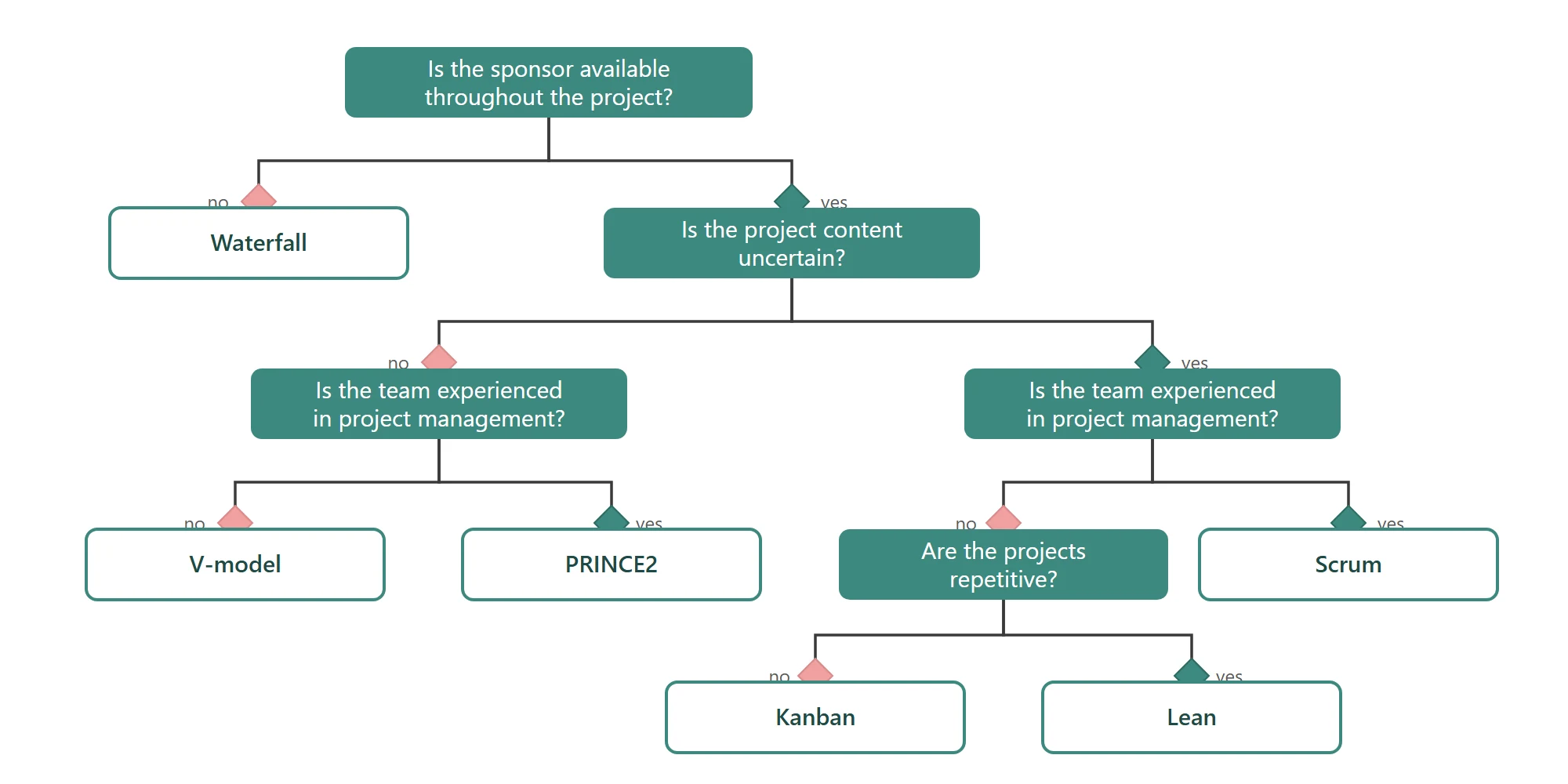 Project management methodologies: agile and traditional approachesWaterfall, V-model, PRINCE2, Scrum, Kanban, Lean: what each method fixes at the start, what it leaves open, and the situations where it holds.
 How to estimate the duration of a task in a projectWho estimates, under what conditions, and why the buffer must not hide inside the figure. The six rules that make an estimate usable.
Declare your team's availability, fill the cycle and watch the gauge. Free on one project, with no time limit.