
Project Planning Software: commit to a date built on real content
Announcing a date without solid project planning means accepting delays. Orchesia starts from project content to clarify scope, dependencies and assumptions, then derives a realistic end date before you commit.
30 days free • No commitment
Symptoms of insufficient project planning

Deadlines announced without foundation
The delivery date was set before scope, dependencies, and assumptions were clarified.

Scope never truly stabilized
The project wasn't broken down enough to frame what's included, what's excluded, and what conditions everything else.

Teams and stakeholders misaligned
Project planning was treated as a formality rather than shared structuring work.
These symptoms appear as soon as you commit to a date without structuring the project. They almost always reflect incomplete project planning.
Good tools… at the wrong time
Excel, Notion, or project management tools are excellent for organizing and tracking. But they aren't designed to build project planning from project content and secure a delivery date commitment.
Excel becomes fragile as soon as planning gets complex
It lets you list tasks, but quickly becomes fragile when you need to model dependencies, test assumptions, or recalculate a reliable timeline. Without strong modeling discipline, every addition complicates the file and weakens the whole.
Notion documents, but doesn't model a structured project
Notion organizes information and linked databases, but rarely turns a task list into an exploitable project structure. Calculations, dependencies, and rules must be built manually, at the cost of complex setup and specialized skills.
Monday, Asana, etc. are perfect for execution, too late for structuring
On login, you face a Gantt or task list to build from nothing. They assume the project is already scoped. Scope, dependencies, and timelines must be defined upstream, outside the tool.
MS Project: an expert tool, hard to access
MS Project imposes high logic and configuration levels, difficult for teams without advanced project maturity. It doesn't guide project planning: it mainly polishes what an expert already knows how to structure.
Orchesia is designed for structured project planning: it welcomes you with a method, not an empty schedule.
A simple method to build your project planning
Orchesia guides you step by step to clarify scope, structure the project, model dependencies, and derive a realistic date before commitment.
A reliable delivery date rests on structured project planning.
Orchesia structures the project in structured mode around a shared framework: scope, WBS, dependencies, critical path, and schedule, to secure commitments before execution.
Break down the project (WBS)
Orchesia guides project breakdown into deliverables and tasks. The WBS turns intent into an exploitable structure: everyone sees what must be produced before talking dates.
Model dependencies (PERT)
Link tasks together to make real constraints visible. Orchesia calculates the critical path and derives the end date from project content, not the other way around.
AI working on your project
Describe your project in one sentence: AI generates the WBS, predicts the tasks and proposes the dependencies. You review and adjust in one click. You keep control — AI just speeds it up.
Generate a realistic schedule (Gantt)
From structure and dependencies, Orchesia generates a Gantt chart you can adjust. Commitments rest on explicit, shared, and assumed assumptions.
Orchesia doesn't replace project expertise. It makes it accessible, shareable, and defensible.
One project in two misses its date
Not an impression: the same measurement two years apart, on samples of several thousand practitioners.
- 48%
of projects finish with a variance against the original schedule
PMI, Pulse of the Profession 2018, 4,455 practitioners - 63% vs 39%
organisations mature in project management meet their schedule, against immature ones
PMI, Pulse of the Profession 2020, 3,060 practitioners - 25%
of failed projects cite inadequate planning among the main causes
PMI, Pulse of the Profession 2018
The 24-point gap between mature and immature organisations does not come from better tracking. It comes from what was done before kickoff.
Two ways to commit to a delivery date
Without structured project planning
Date announced, fragile schedule.
- Vague, shifting scope
- Date set before structuring the project
- Dependencies discovered during execution
- Teams and stakeholders misaligned
- Frequent rework
With Orchesia
Clear structure, date grounded in content.
- Broken-down, validated scope (WBS)
- Date calculated from real dependencies
- Critical path identified before commitment
- Teams aligned on the same framework
- Execution driven by a reliable schedule
Where Orchesia makes the difference
Orchesia is designed for teams that must announce a realistic delivery date and meet it, starting from project content rather than an imposed deadline.

Project and product teams
For teams working in project mode, with strong dependencies and frequent trade-offs, who want to build solid project planning before committing to a date.

Consultants, IT services firms, and agencies
To structure the project, scope the perimeter, and secure delivery commitments made to clients, before operational launch.

PMOs and project managers
To harmonize project planning practices, make projects comparable, and secure decisions before arbitration and prioritization.

Incubators and support organizations
To help teams structure their projects, clarify assumptions, and gain maturity before committing to a delivery date.
Because the real performance lever isn't going faster, it's starting better.
A schedule that follows from the project,
not the other way round.
See Orchesia in a demoFrequently asked questions
With the breakdown, not the dates. Until deliverables are listed and dependencies declared, setting dates is guesswork. Orchesia reverses the order: structure first, declare the sequencing, and the calendar follows.
No. The views are called mind map and dependencies, and they work without knowing the formal names. The methods sit underneath; the technical vocabulary stays in our articles, not in the product.
Dates of dependent tasks are recalculated and the critical path is updated. You immediately see whether the delay hits the end date or is absorbed by float.
Yes, with less depth. A two-level breakdown and a handful of dependencies are often enough. The point is not exhaustiveness — it is making the sequencing visible before committing to a date.
Yes. A baseline records the schedule at a given moment — typically at sign-off — and overlays the current one. Variances are dated, which changes the nature of end-of-project discussions.
Simple pricing, no surprises
All the tools to structure and run your projects. 30-day free trial.
per user, billed monthly
View pricing30-day free trial · No commitment · Cancel anytime
What's included
- Access to all features
- Free updates
- Document storage
- Real-time collaboration
- PDF export
 AI credits
Further reading
The methods behind the tool, explained in detail.
 How to estimate the duration of a task in a projectWho estimates, under what conditions, and why the buffer must not hide inside the figure. The six rules that make an estimate usable.
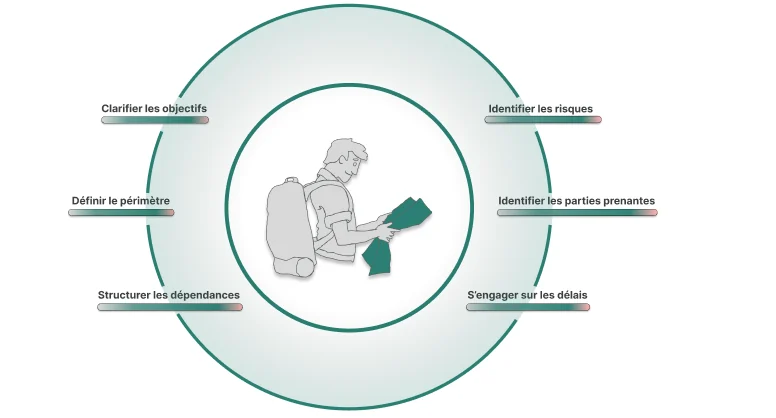 How to scope a project before you commit to a dateFraming is not paperwork. It is the last moment where a decision is cheap. Here is what a scoping stage has to produce before anyone opens a schedule.
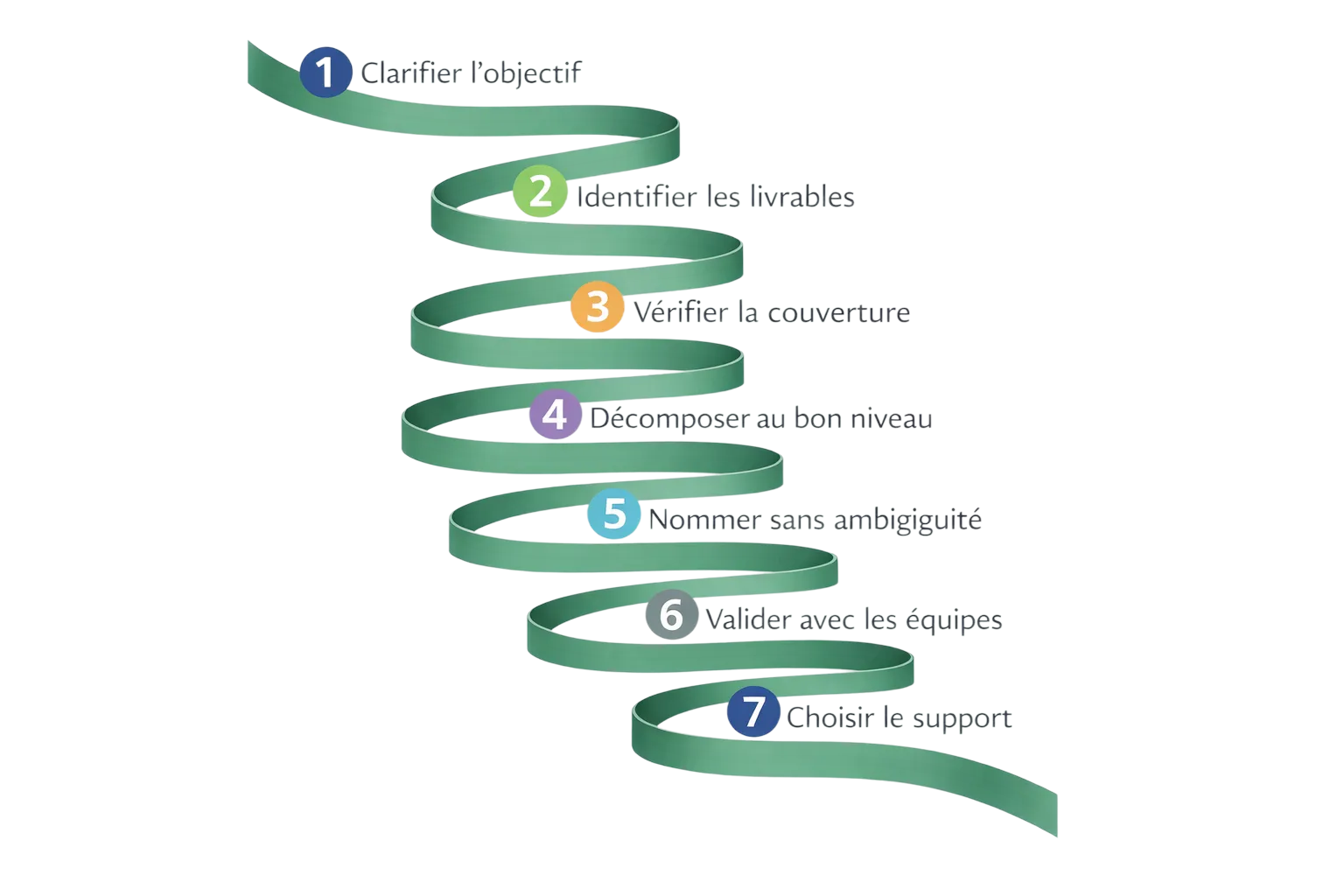 How to build a WBS, step by stepA practical method for decomposing a project into deliverables and work packages, with the checks that tell you the structure is sound.
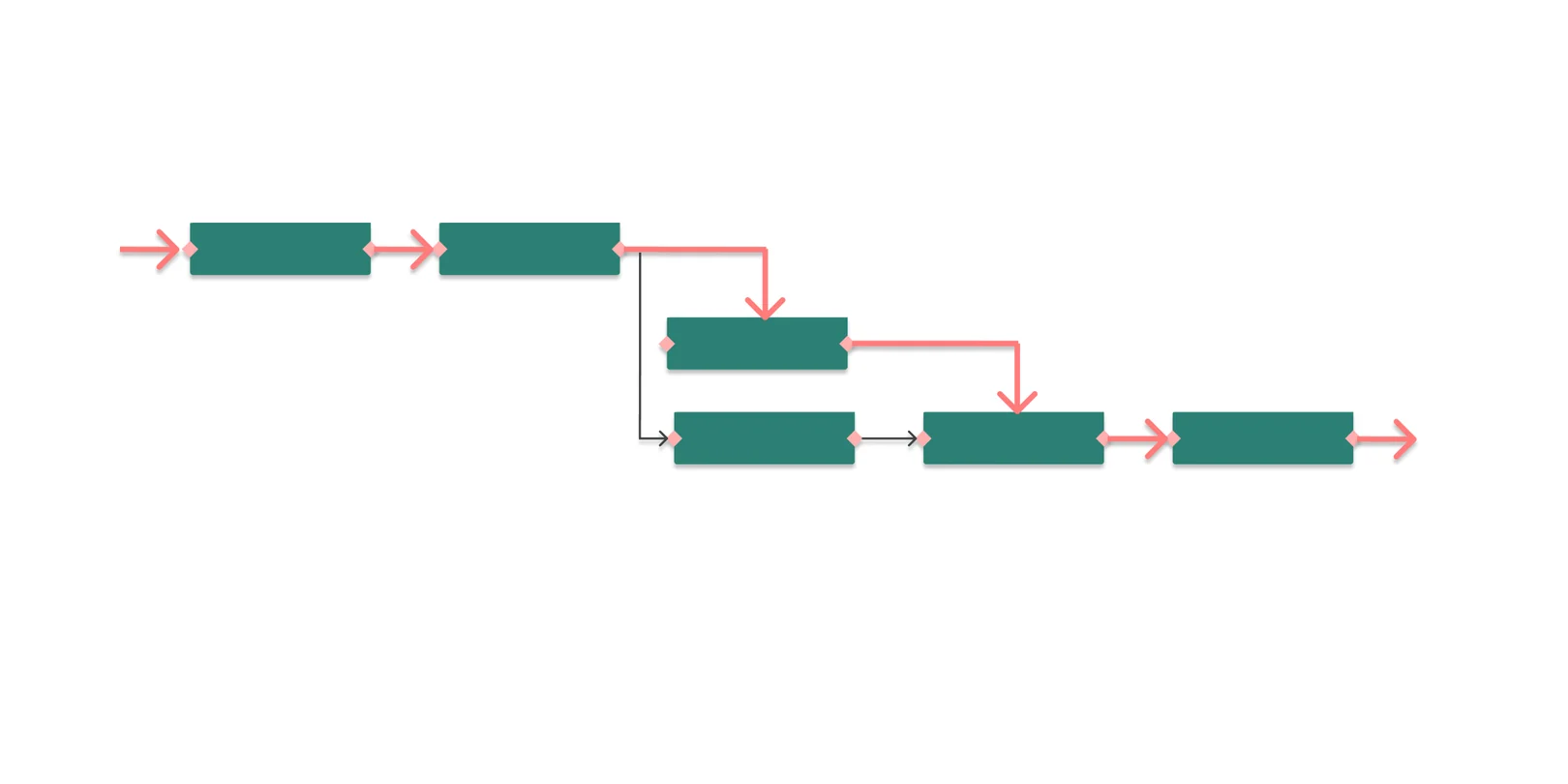 What is the critical path in project management?The critical path is the longest chain of dependent tasks in a project. It sets the minimum duration — and any delay on it moves the end date.
Ready to secure your delivery dates?
Before announcing a date, build solid project planning. Orchesia helps you structure the project in structured mode and secure commitments from the start.
No commitment • 30 days free • No card required